Web Product Scraper

Video tutorials:
every feature in under a minute.

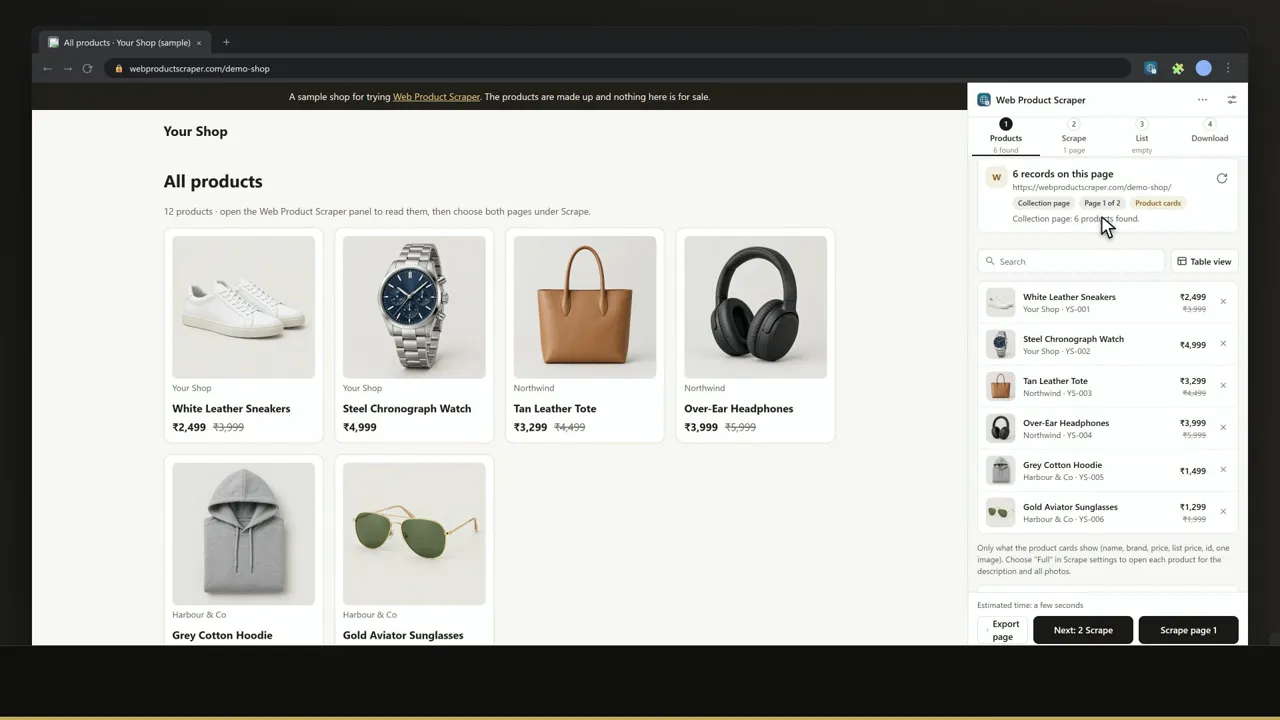
Start with the 2-minute overview of version 1.10, then one short video for each part of Web Product Scraper: the product table, scraping a whole shop, choosing pages, product pages and lists of links, the PDF catalogue with WhatsApp buttons, price watches with drop alerts, Shopify or WooCommerce import, teaching it a shop it reads wrong, and the catalogue website. Every video has its own page with the transcript.

Add to Chrome, it's free No account · private by default
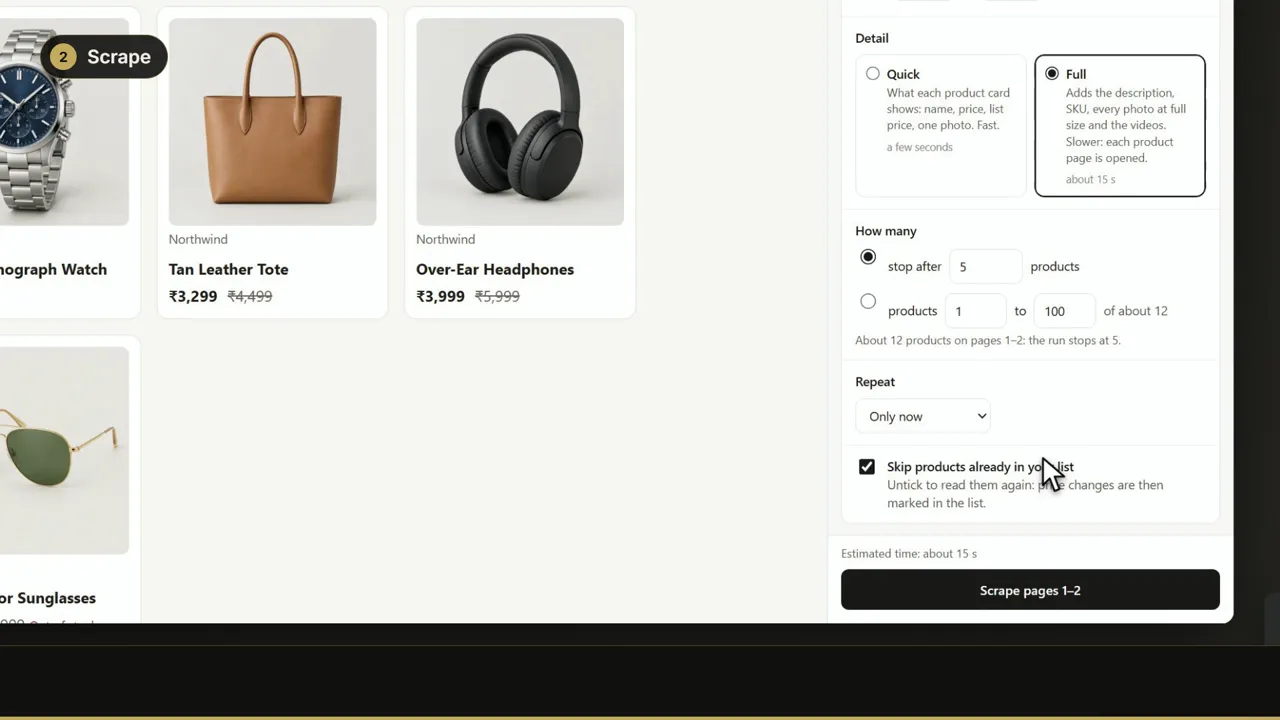
Part 1 · Filter, sort and pick exactly the products you want
Video: Filter, sort and pick exactly the products you want (part 1 of 8)0:52
Step 1, the product table: Table view, search every column, filter any column, sort, tick rows to export or remove them together, choose the columns, add product codes. Transcript and details on the video page · Watch on YouTube.

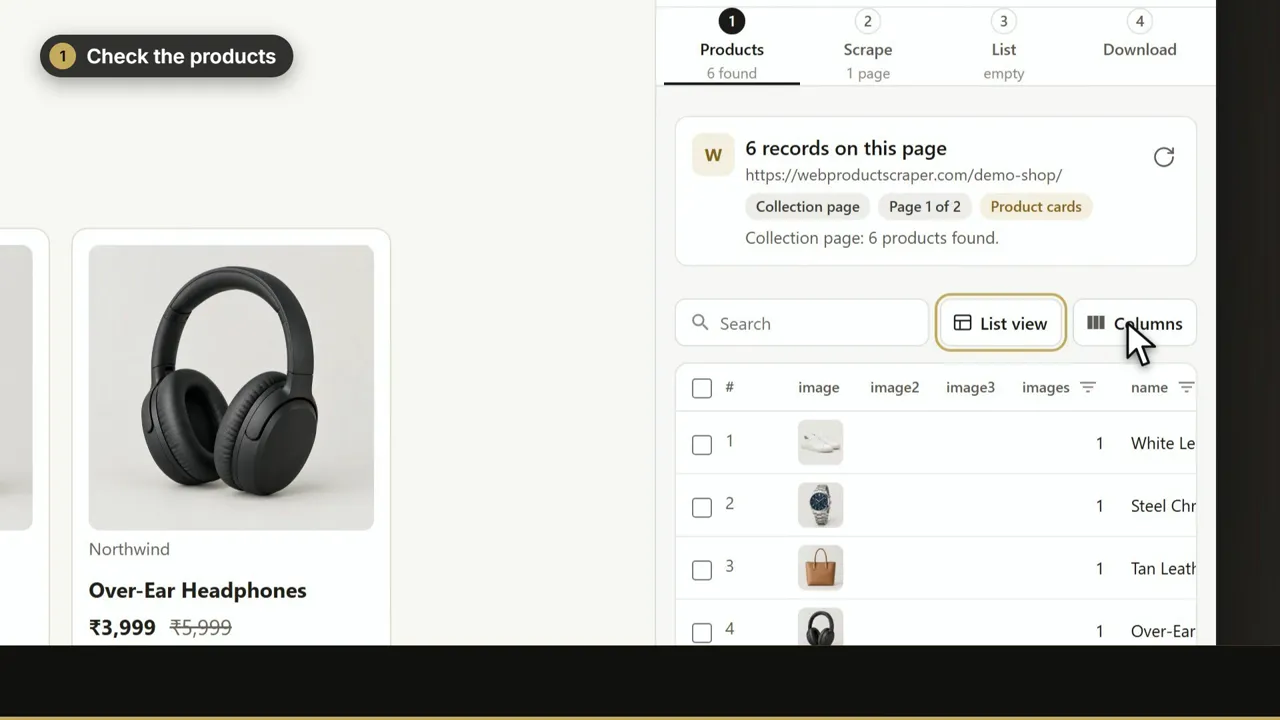
Part 2 · Scrape a whole shop to Excel, CSV, JSON and a photos ZIP
Video: Scrape a whole shop to Excel, CSV, JSON and a photos ZIP (part 2 of 8)0:53
Choose the pages and Quick or Full, press Scrape and watch each product light up on the shop page, find every product in your list, then download Excel, CSV or JSON, or one ZIP with every photo in a folder per product. Transcript and details on the video page · Watch on YouTube.

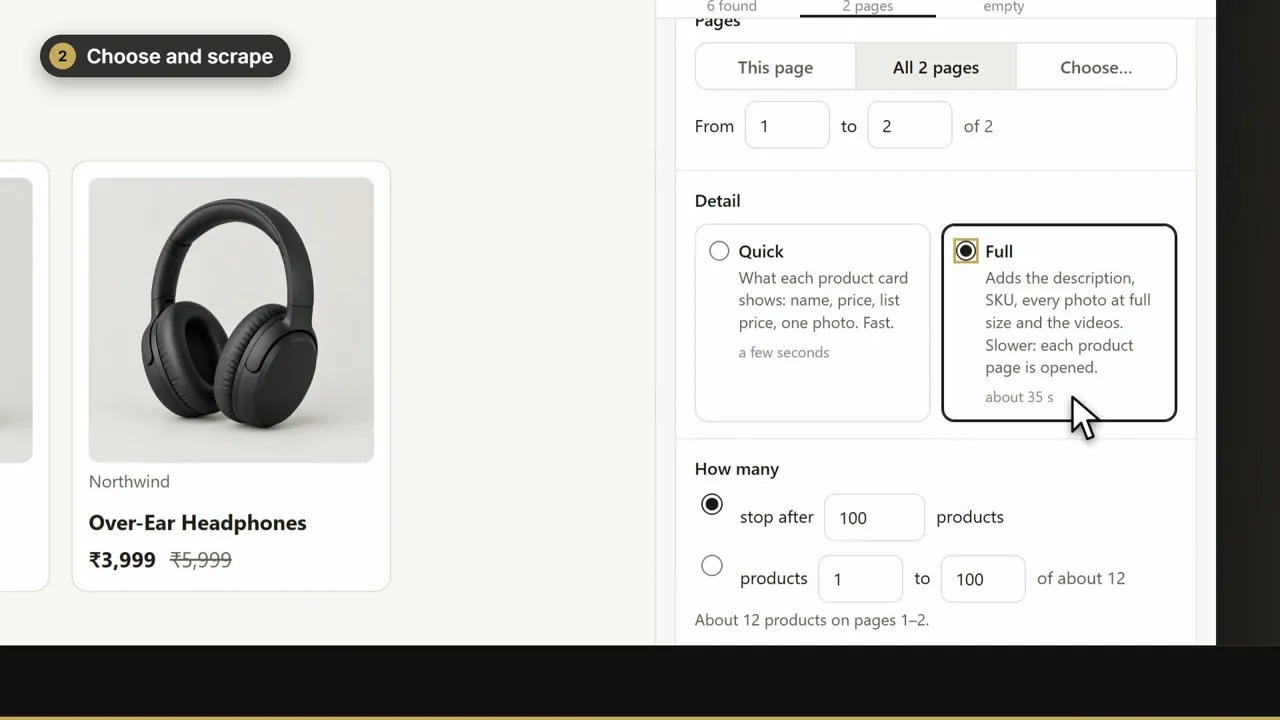
Part 3 · Choose pages, read a product page or paste a list of links
Video: Choose pages, read a product page or paste a list of links (part 3 of 8)0:50
This page, all pages or a range of products; a single product page with its own photos and editable fields; and a pasted list of product and category links from any shop, scraped in one run. Transcript and details on the video page · Watch on YouTube.

Part 4 · A PDF catalogue with WhatsApp buttons
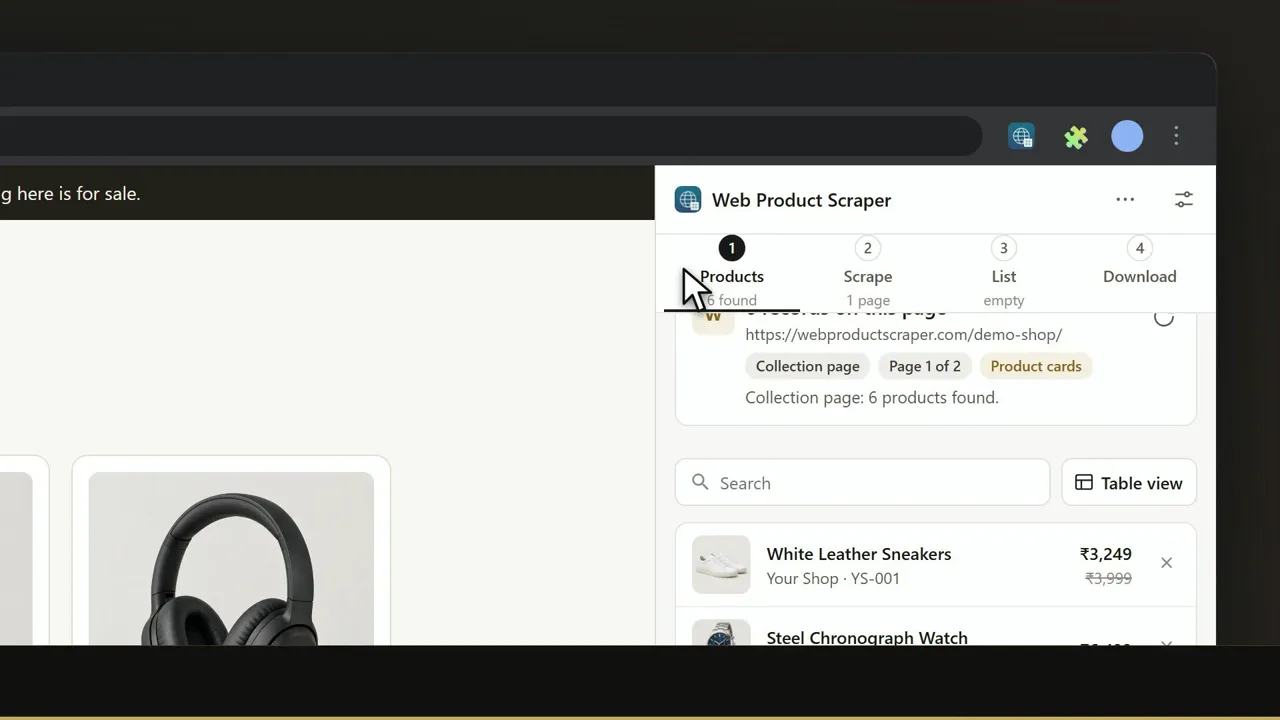
Video: Make a PDF product catalogue with WhatsApp buttons (part 4 of 8)0:44
Add your markup, business details and logo in Settings, choose prices on or off, and choose PDF catalogue: six products a page, a WhatsApp button on every product. Transcript and details on the video page · Watch on YouTube.

Part 5 · Watch prices and get an alert when they drop
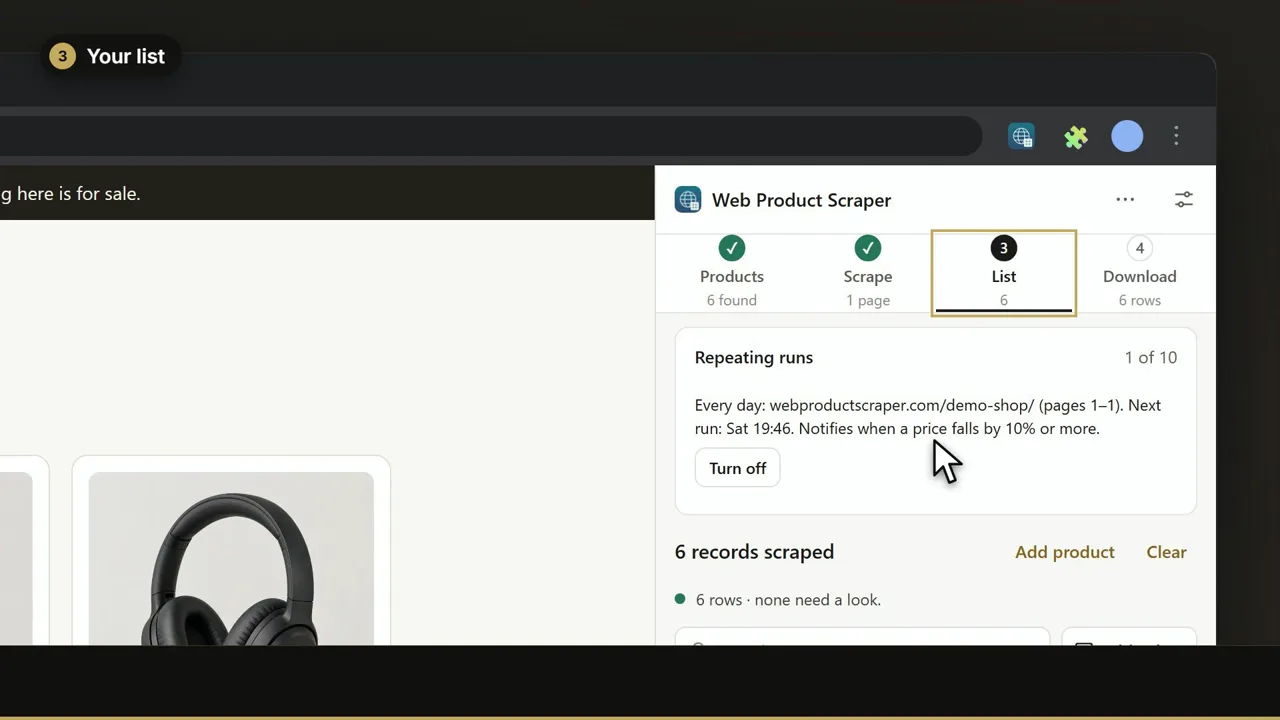
Video: Watch prices and get an alert when they drop (part 5 of 8)0:41
Repeat a page every day or week, choose the drop that matters, and every run marks and counts what got cheaper, dearer or new while a notification names the products that dropped. Up to 10 watched pages. Transcript and details on the video page · Watch on YouTube.

Part 6 · Import scraped products into Shopify or WooCommerce
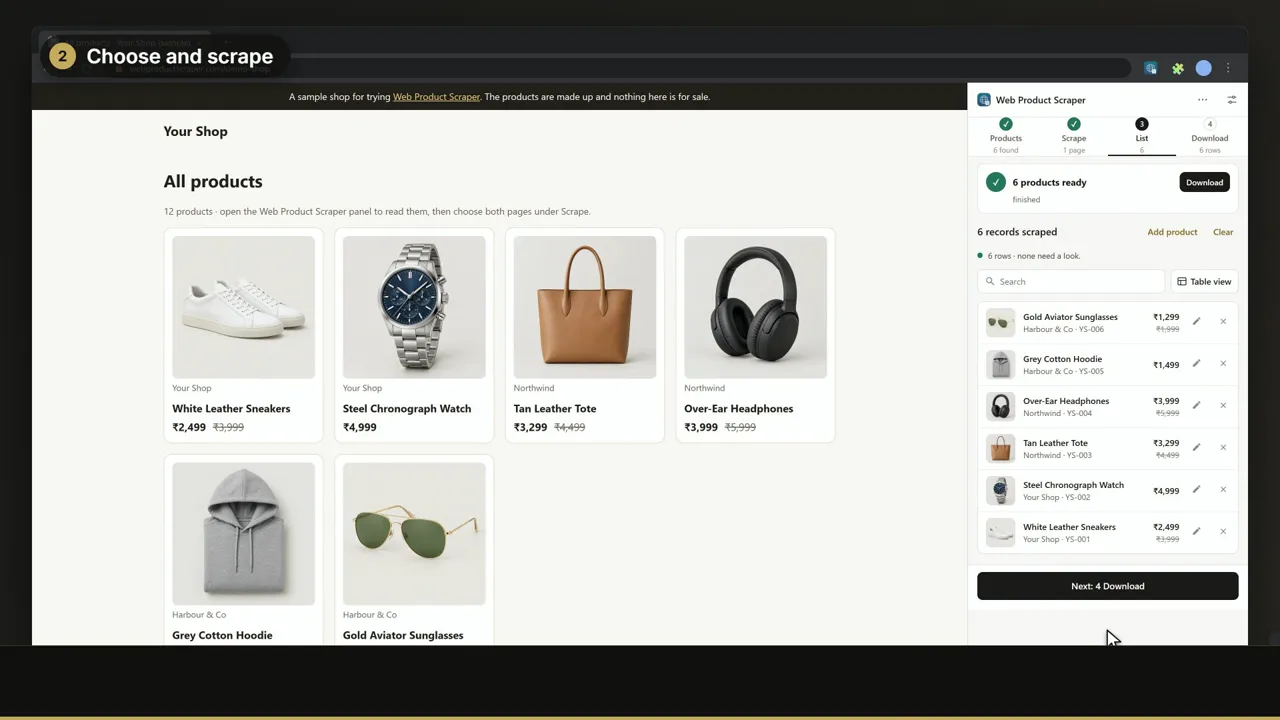
Video: Import scraped products into Shopify or WooCommerce (part 6 of 8)0:36
Shop import writes the platform's own import file: photos, your price and the MRP as compare-at or regular price, products as drafts, sizes and colours as variants. Transcript and details on the video page · Watch on YouTube.

Part 7 · Teach it any shop in a few clicks
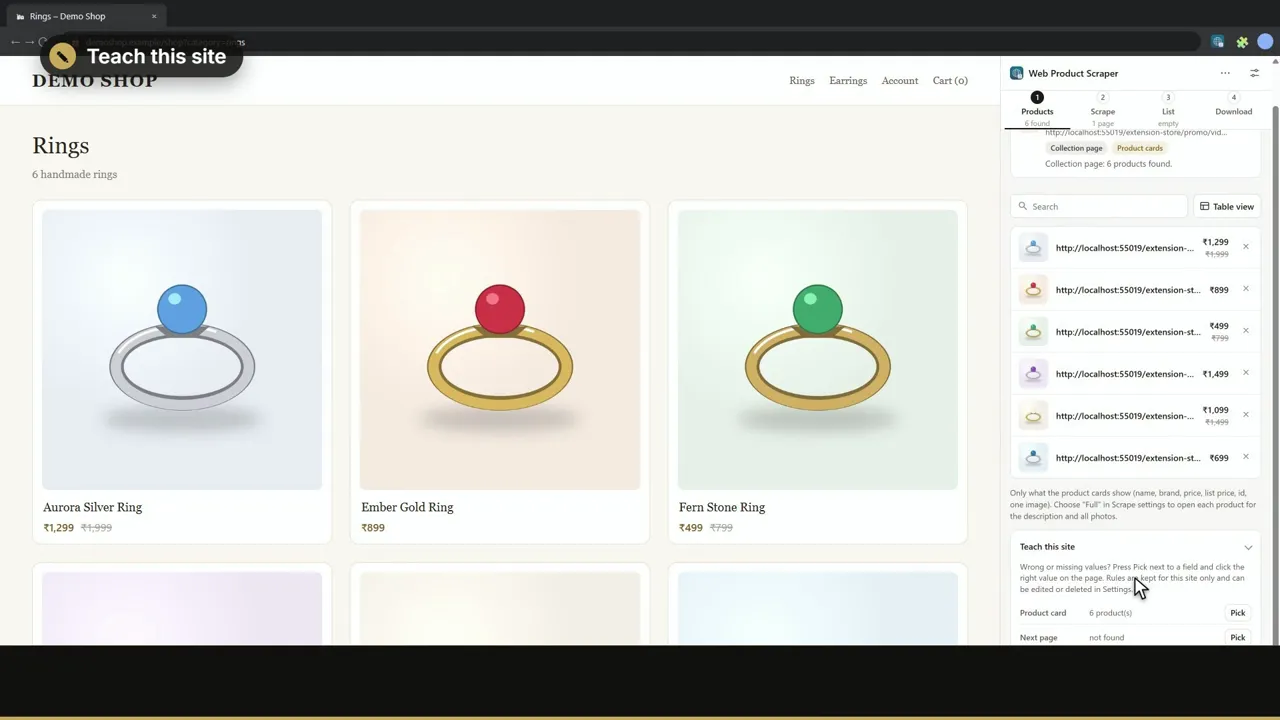
Video: Teach it any shop in a few clicks (part 7 of 8)0:44
When a shop is read wrong: pick a product card and every product is found; pick the price and one photo on a product page; save, and every page of that shop is read right. Transcript and details on the video page · Watch on YouTube.

Part 8 · A shop website from your products, with WhatsApp orders
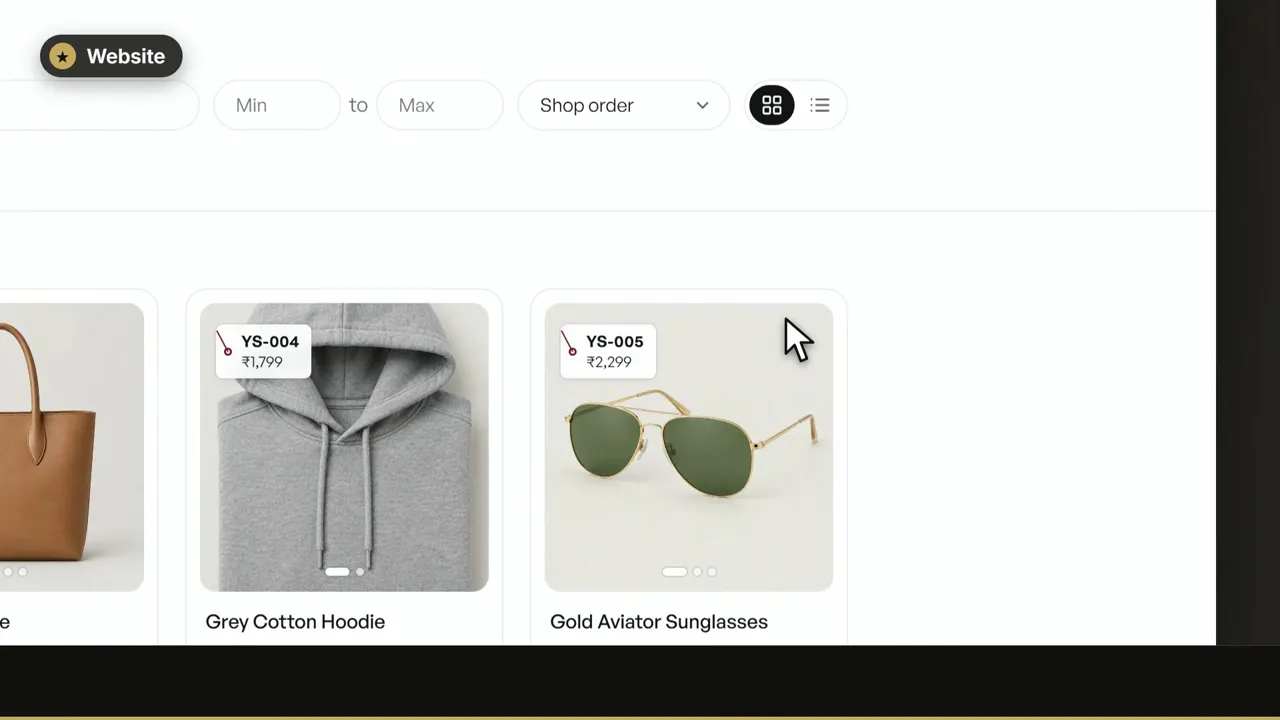
Video: Make a shop website from your products, with WhatsApp orders (part 8 of 8)0:49
Step 4, Website: your line and logo colour, the website's own prices, a price, photo or hide per product, a preview, then online free. Every product has a WhatsApp button that sends its code, name and price. Transcript and details on the video page · Watch on YouTube.

Frequently asked questions

Where are the videos?

On the Web Product Scraper YouTube channel (youtube.com/@WebProductScraper): the overview, then parts 1 to 8 in this order.

Is Web Product Scraper free?

Yes. There is no paid tier and no account: install it from the Chrome Web Store and use every feature shown in the videos.

The shop I use looks different. Will it work?

Most shops that list products work as shown. When a shop is read wrong, part 7 shows how to teach it with a few clicks, and the "Site read wrong? Report it" link lets you send the page to the developer.

Add to Chrome, it's free