Web Product Scraper

Responsible web scraping:
permissions, pauses and privacy.

Collecting product data from public shop pages is everyday work for resellers and buyers, and it can be done in a way that is fair to the shop and safe for you. This page explains what Web Product Scraper does by default to stay polite, what it does not do for you, and the questions to ask before you reuse what you collect.

Add to Chrome, it's free No account · private by default
Web Product Scraper side panel, step 2 Choose and scrape: the pages, how many products, Quick or Full, and a daily repeat with a price-drop alert

What is responsible web scraping?

Taking only what you need from pages that are public, at a pace the site barely notices, stopping when it says no, and respecting what its terms and copyright allow you to do with the data. A tool can handle the pace; the decision about use stays with you.

What the extension does to stay polite

A pause between pages

Auto speed, on by default, starts with a 1-second pause and lengthens it step by step, up to 8 seconds, when a shop starts refusing. If you untick it, the pause is yours to set, from 1 to 60 seconds (3 by default). A random extra of up to half the pause is always added, so the visits do not arrive in a fixed rhythm.

A few pages at a time

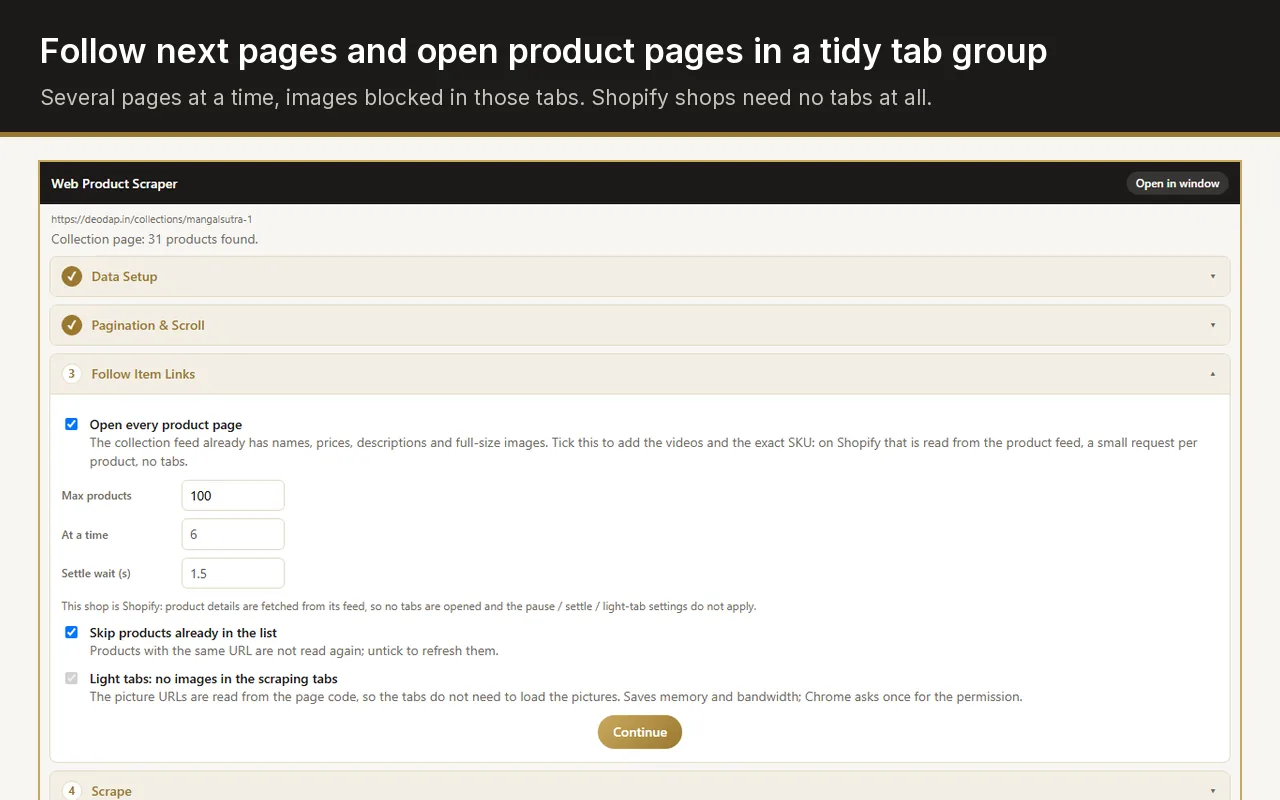
Auto speed starts at 5 product pages at a time and drops step by step to one at a time when a shop starts refusing, then remembers the pace that worked for that website. If you untick it, you choose 1 to 10 at a time (3 by default). Pages that need a tab open in one collapsed tab group that closes when the run ends.

Lighter visits

A product page is read from its HTML alone when that is enough: no tab, no page scripts and no pictures, so the shop serves less. A background tab opens only for pages that build themselves with scripts. The full-size photos are downloaded when you ask for the ZIP.

Stops when refused

After three failed pages in a row the run stops by itself, instead of retrying against a shop that is turning it away.

Fewer requests on Shopify

Shopify collections come from the store's public product feed, up to 250 products per request, instead of one visit per product.

Only pages you open

A run starts from the page in your tab and the pages it leads to. There is no background crawling and no list of sites.

Permissions and your data

Asked per site

Chrome's permission is requested for one website, when you start working there, never for every site at once.

Your list stays with you

What you collect is kept in your browser, on no server, until you export or clear it. Only the optional AI tags send product text, when you ask.

Settings follow your Chrome

Settings and taught rules are saved with Chrome's sync storage, so they appear on your other computers signed in to Chrome.

What it does not do for you

Web Product Scraper does not read a site's robots.txt file or its terms of use. It reads only the pages you open yourself and the pages a run follows from them, so the choice of site is yours, and so is checking whether that site allows automated collection.

If a shop's terms forbid it, or the shop asks you to stop, stop. Lowering the pace does not change what the terms say.

Using what you collect

Terms of use

Each site sets its own rules for automated access and reuse. Read them before a large run.

Photos and descriptions

They are protected by copyright. Supplier material is often meant for resellers; ask before you publish it anywhere else.

Personal data

Collect products, not people. Names, emails or reviews of individuals need a lawful reason to keep, and this tool is not built for them.

Prices

Comparing public prices is common practice; republishing a competitor's whole catalogue is not.

A short checklist before a run

Read the terms

Look for rules on automated access and on reusing content.

Take only what you need

Set the page range and "stop after" to the job, not to the whole shop.

Keep Auto speed on, or go slower

Auto speed slows itself down when a shop starts refusing. To be gentler from the start, untick it and set fewer pages at a time and a longer pause.

Ask about photos

Before listing a supplier's products, check that you may use their pictures.

Frequently asked questions

Is web scraping legal?

It depends on the site's terms, the data and where you are; this page is not legal advice. Reading public product pages at a gentle pace is common, but you are responsible for how you use what you collect.

Does Web Product Scraper respect robots.txt?

It does not read robots.txt. It only visits pages you open and the pages a run follows from them; check a site's rules yourself before a large run.

Can a shop tell that I am scraping?

The visits come from your own browser, but a shop can notice many pages opened quickly from one address and block it, which is why the pause and the stop on refusal exist.

Does the extension send my data anywhere?

Only if you ask: the optional AI tags (off by default) send the chosen products' names, descriptions and prices to get suggestions. Everything else stays in your browser until you export or clear it.

Add to Chrome, it's free