
Title and handle
The product name, and the handle: the last part of the product address, as in /products/HANDLE.
Almost every Shopify store publishes its products as a public JSON feed. This guide explains what is in it, what is not, how to page through it, and how to turn it into an Excel sheet, by hand or without writing any code.
Add to Chrome, it's free No account · no server · nothing leaves your browser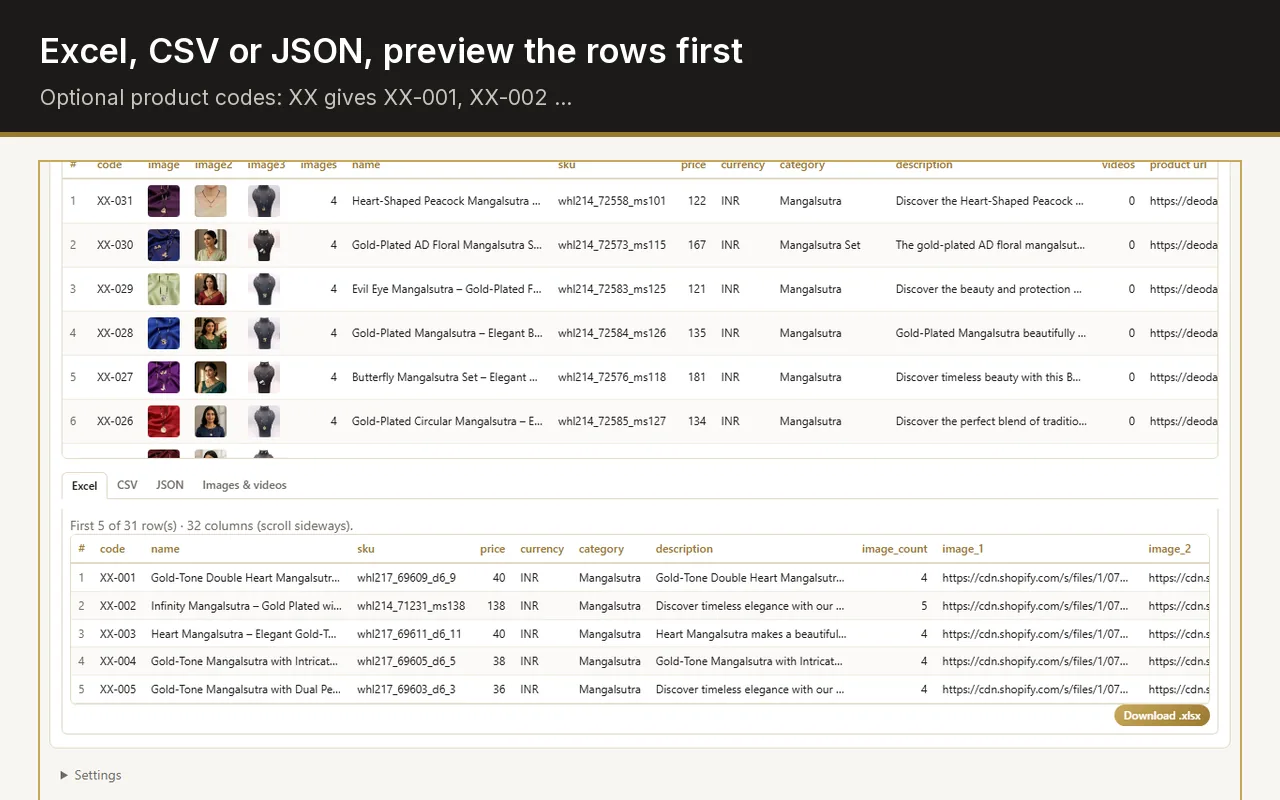
It is a public, read-only JSON feed that Shopify serves for an online store. Add /products.json to the store address, or /collections/NAME/products.json for one collection, and you get the published products as structured data: title, handle, vendor, product type, description, tags, variants with prices and SKUs, and full-size image links.
The same fields for every product, whatever the theme.
The product name, and the handle: the last part of the product address, as in /products/HANDLE.
The brand or supplier name the shop entered, and the product type it uses to group products.
The full description as HTML, with the formatting tags the shop used.
One entry per size, colour or option: price, compare-at price, SKU, the option values, and whether it is available.
Links to every product image at its original size, in the shop's order.
The product tags, and when it was created, published and last updated.
No stock counts. A variant says whether it is available, not how many are left.
No currency. Prices are plain numbers in the store's currency; the currency is shown on the store's pages, not in the feed.
Only published products. Drafts, archived products and password-protected stores are not in it.
No reviews or extra fields from apps. Reviews, size charts and custom fields usually come from apps and are not part of the feed.
Some stores do not serve it at all: a store built on a custom (headless) storefront may answer with an error instead.
This is what Web Product Scraper does on a Shopify collection page.
Open any collection page of the store and click the extension icon.
It fetches /collections/NAME/products.json 250 products at a time, up to 1,000 products per collection. When a store has no feed, it reads the product cards on the page instead.
One row per product: the lowest variant price, the highest compare-at price above it as the MRP, the first SKU found, the vendor as brand and the product type as category. The currency comes from the page.
Excel, CSV or JSON, or a ZIP with every image in a folder per product, named after it.
If you write code, a short script does the same: request the feed page by page with limit=250 until a page returns fewer than 250 products, then write one row per product or per variant. Pause between requests.
The work is in the details: choosing which variant's price to show, turning the description HTML into text, and downloading the images. The extension does those for you and needs no setup.
There is no simple setting in the Shopify admin to switch it off, which is why the question comes up on Shopify's own community forum. The feed shows only what the store already shows to every visitor: published products, their prices and their photos.
Using it is still your responsibility. Read the store's terms, take only what you need, and keep a pause between requests.
No. The Admin API needs the store owner's permission and returns everything, including stock and unpublished products. products.json is the public storefront feed: read-only, published products only.
The feed is paged. Add ?limit=250 for the largest page and &page=2, &page=3 for the rest.
Yes: /collections/NAME/products.json, where NAME is the last part of the collection's address.
No. It uses the feed when a Shopify collection has one, and reads the product cards on the page otherwise, so it also works on other platforms.