
Sites that are not shops
Directories, listings, news, reviews, tables of any kind: Octoparse's workflows are built for whatever a page holds.
Octoparse is a desktop scraping app for Windows and Mac: you build a task, or let auto-detect suggest one, and run it on your computer or in Octoparse's cloud. When all you need is the products of a few shop pages, with prices and photos, that is a lot of setup. Web Product Scraper opens beside the shop in Chrome's side panel and shows its products as a table at once. Below is where each tool is the better choice.
Add to Chrome, it's free No account · private by default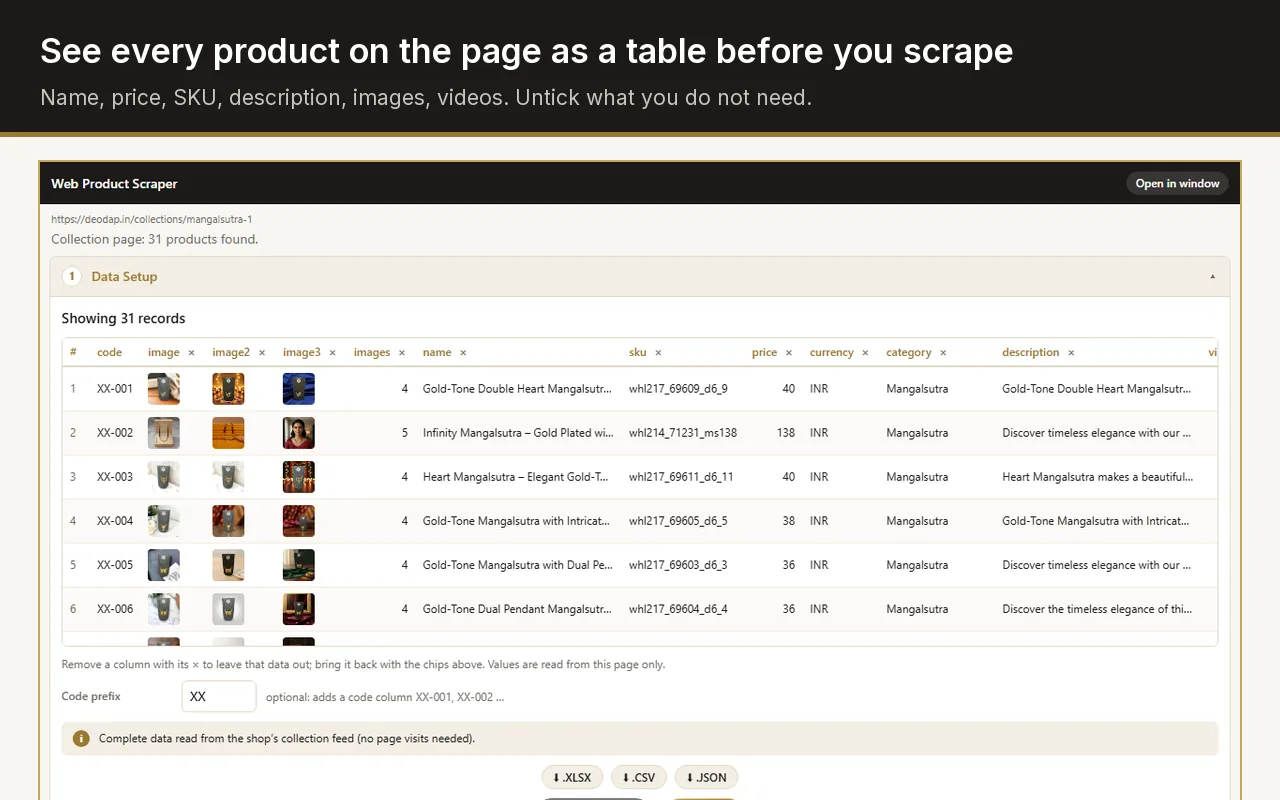
Octoparse is installed as a desktop app; its Chrome Mode drives the Chrome on your computer from that app, but it is not an extension you add from the Chrome Web Store. Web Product Scraper is one. It has no paid plan, reads shop category, search and product pages without a task to design, and saves each product's photos in a folder of their own. For other kinds of website, or runs in the cloud with your computer off, Octoparse is the stronger tool.
From Octoparse's own pricing and download pages, linked under Sources below; prices and free-plan limits re-checked on 15 November 2026.
| Web Product Scraper | Octoparse | |
|---|---|---|
| How you get it | Added to Chrome from the Chrome Web Store | Downloaded app for Windows 10 (64-bit) or later, or for Mac |
| Before the first export | Open the shop page; its products appear as a table | Auto-detect the page or build a task workflow |
| Price | Nothing to pay: no paid plan exists | Free plan; Basic $19 a month, billed monthly only; Standard from $69 and Professional $249 a month, billed yearly |
| What the free version allows | Every feature, up to 500 listing pages a run | 10 saved tasks, run on your computer; up to 50,000 exported rows a month from your own tasks, 10,000 per export; 2,000 rows a month from templates, AI tasks and the API |
| Where it runs | In your Chrome, while you watch | On your computer; in Octoparse's cloud from the Standard plan |
| Schedules | Repeat a page every day or week, in your Chrome while it is open | From the Standard plan |
| Kinds of site | Shop pages: categories, search results, product pages | Almost any website |
| Output | Excel, CSV, JSON, and a ZIP of photos with a folder per product | Excel, CSV, JSON, HTML, XML, databases and Google Sheets on every plan; Google Drive, Dropbox and S3 on Professional |
| Getting past blocks | It slows down, and stops when a site refuses | IP rotation, residential proxies and CAPTCHA solving on paid plans |
The free plan is generous for learning: ten saved tasks that run on your own computer, and 50,000 exported rows a month, at most 10,000 in a single export. A supplier catalogue of 2,000 products fits comfortably. What it leaves out is running your own tasks in Octoparse's cloud and on a schedule, which start with the Standard plan, so the computer has to stay on while a task runs.
Web Product Scraper has no plan to outgrow. The only limit is per run: it stops at 500 listing pages or at the product count you chose, and the next run on the same shop adds what is not in the list yet.
In Octoparse you teach the tool each site. Auto-detect suggests the fields, then you adjust the workflow until the price, the next-page button and the product links are right. That flexibility is why it copes with almost any site, and why a new site starts with some setup.
Web Product Scraper starts from the other end. It already knows the pages of Shopify, WooCommerce, Magento and BigCommerce stores, reads the structured product data most other shops publish, and asks you to point at a value only when a shop does something unusual. The price and the struck-out price are told apart without a rule from you.
Directories, listings, news, reviews, tables of any kind: Octoparse's workflows are built for whatever a page holds.
From the Standard plan, cloud runs and schedules keep collecting with your computer off.
Its Chrome Mode uses your local Chrome for pages behind a login or a CAPTCHA, and the paid plans add proxies and CAPTCHA solving.
Exports to databases and Google Sheets on every plan, and to Google Drive, Dropbox and S3 on Professional, rather than files you move by hand.
Other tools people weigh against Octoparse, from each tool's own pricing page or Chrome Web Store listing, read on 15 November 2026. Prices are in US dollars and change often.
| Where it runs | Free plan | Paid plans from | |
|---|---|---|---|
| ParseHub | Desktop app for Windows, Mac and Linux; runs are processed on its servers | 200 pages a run, 5 public projects, data kept 14 days | $189 a month |
| Web Scraper | Chrome extension, 800,000 users; Web Scraper Cloud for scheduled runs | The extension is free | Cloud from $50 a month, with a 7-day trial |
| Data Miner | Chrome extension, with an account | 500 pages a month; going over locks the account until you upgrade | $19.99 a month |
| Browse AI | Online service: robots that extract and monitor pages for you | 50 credits a month: up to 50 pages or 500 rows | $19 a month, billed yearly |
| Thunderbit | AI Chrome extension, also an Edge add-on and a web app | 6 pages a month | $9 a month, billed yearly |
| Apify | Online platform; ready-made scrapers (Actors) from its store | $5 of usage a month | $19 a month plus usage |
Each tool's own pages, where the facts above come from. Their pages win when they differ from this one.
Not for its scraper. Octoparse is a desktop app for Windows and Mac, and its Chrome Mode controls the Chrome on your computer from inside that app. Its two Chrome Web Store items are add-ons for other Octoparse products: VOC for Amazon reviews and a helper for Octoparse AI.
Web Product Scraper reads a Shopify collection from the store's product feed, 250 products per request, so a few hundred products arrive in seconds without opening a product page.
Yes, simply: a page can repeat every day or week, up to 10 watched pages, and the list marks every price that moved. It runs in your own Chrome, so a run that falls due while Chrome is closed waits until it is open again. For runs in the cloud with your computer off, Octoparse's Standard and Professional plans are made for that.
Not with Web Product Scraper: every feature, the photo ZIP and the PDF catalogue included, is in the one free version.